
Cisco SD-WAN - PART III - Static NAT
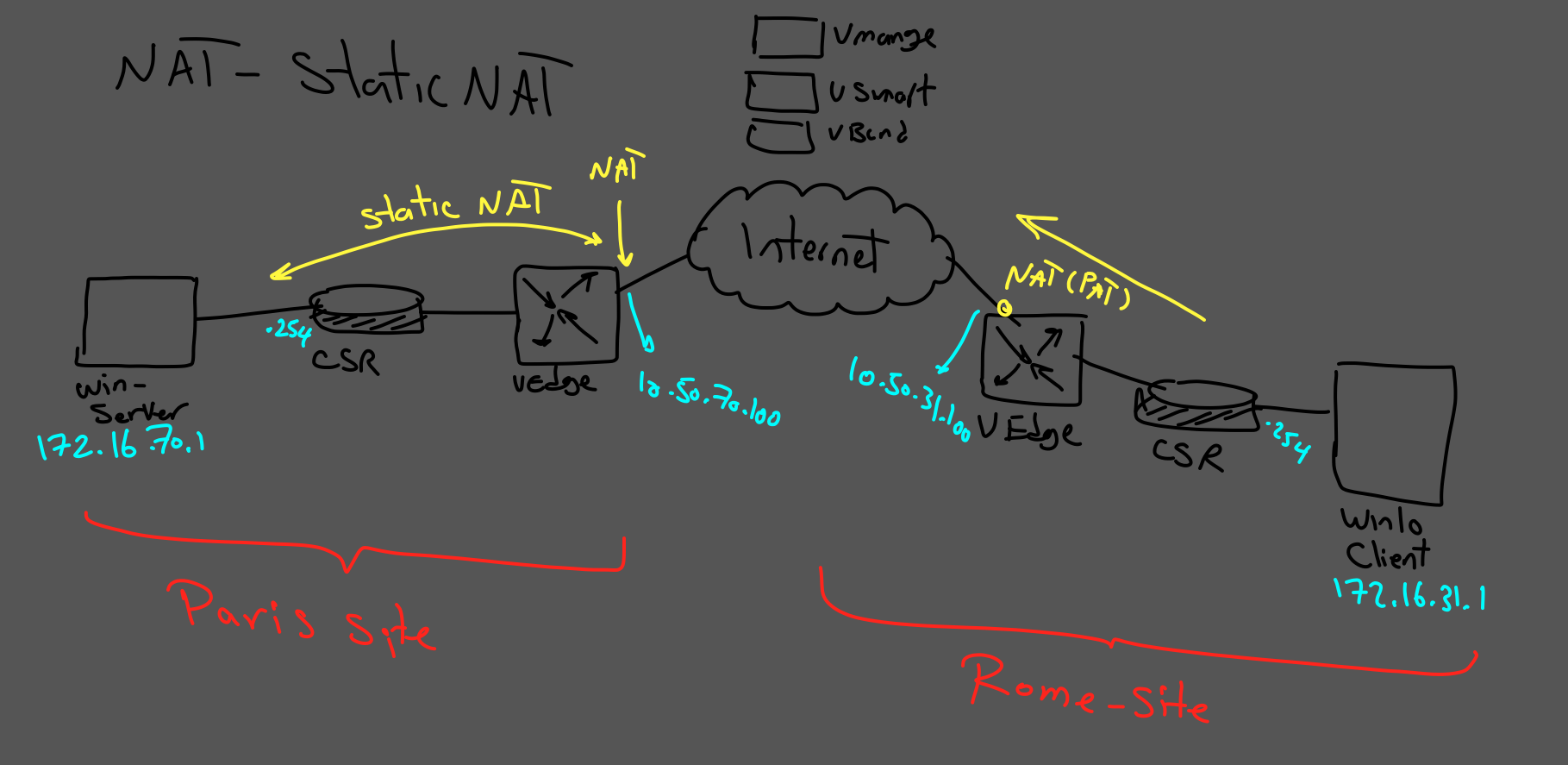
Cisco SD-WAN Static NAT provides a one-to-one mapping between a private IP address and a public IP address. In this lab, we configure Static NAT on the transport side of a vEdge router to publish a web server located in the Paris DMZ so that it can be reached from another site.
A vEdge router can perform NAT on both the transport VPN (VPN 0) and service VPNs such as VPN 1. Transport-side NAT can provide Internet access, port forwarding, and static one-to-one NAT for internal servers.
In this scenario, the Rome site uses PAT for Internet connectivity, while the Paris site uses Cisco SD-WAN Static NAT to publish an internal web server.
Note: Cisco documentation may also refer to this functionality as one-to-one NAT.
Table of Contents
Lab Topology
To complete the scenario, we need two NAT functions:
- At the Rome site, PAT is configured so that internal clients can reach external networks.
- At the Paris site, Static NAT is configured to map a public IP address to the private IP address of the DMZ web server.
Cisco SD-WAN NAT Series
This article is Part 3 of the Cisco SD-WAN NAT series. If you want to review the earlier NAT scenarios first, use these guides:
- Cisco SD-WAN NAT Part 1 — Learn how PAT is configured on the transport side of a Cisco SD-WAN edge router.
- Cisco SD-WAN NAT Part 2 – Port Forwarding — Continue with port forwarding before moving to one-to-one Static NAT.
Rome Site – PAT
The Rome site requires PAT so that internal clients can reach the external network through the public address of the vEdge router.
The PAT configuration is covered in detail in:
For this Part 3 scenario, the primary focus is the Static NAT configuration on the Paris vEdge.
Paris Site – Static NAT
At the Paris site, we use vManage to configure one-to-one Static NAT for the DMZ web server.
The internal server uses:
- Private IP: 172.16.70.10
- Translated/Public IP: 10.50.70.111
The objective is to allow traffic destined for 10.50.70.111 to be translated and forwarded to the real server address 172.16.70.10.
Step 1 – Enable NAT on VPN 0
The first step is to enable NAT on the transport-side interface of the Paris vEdge.
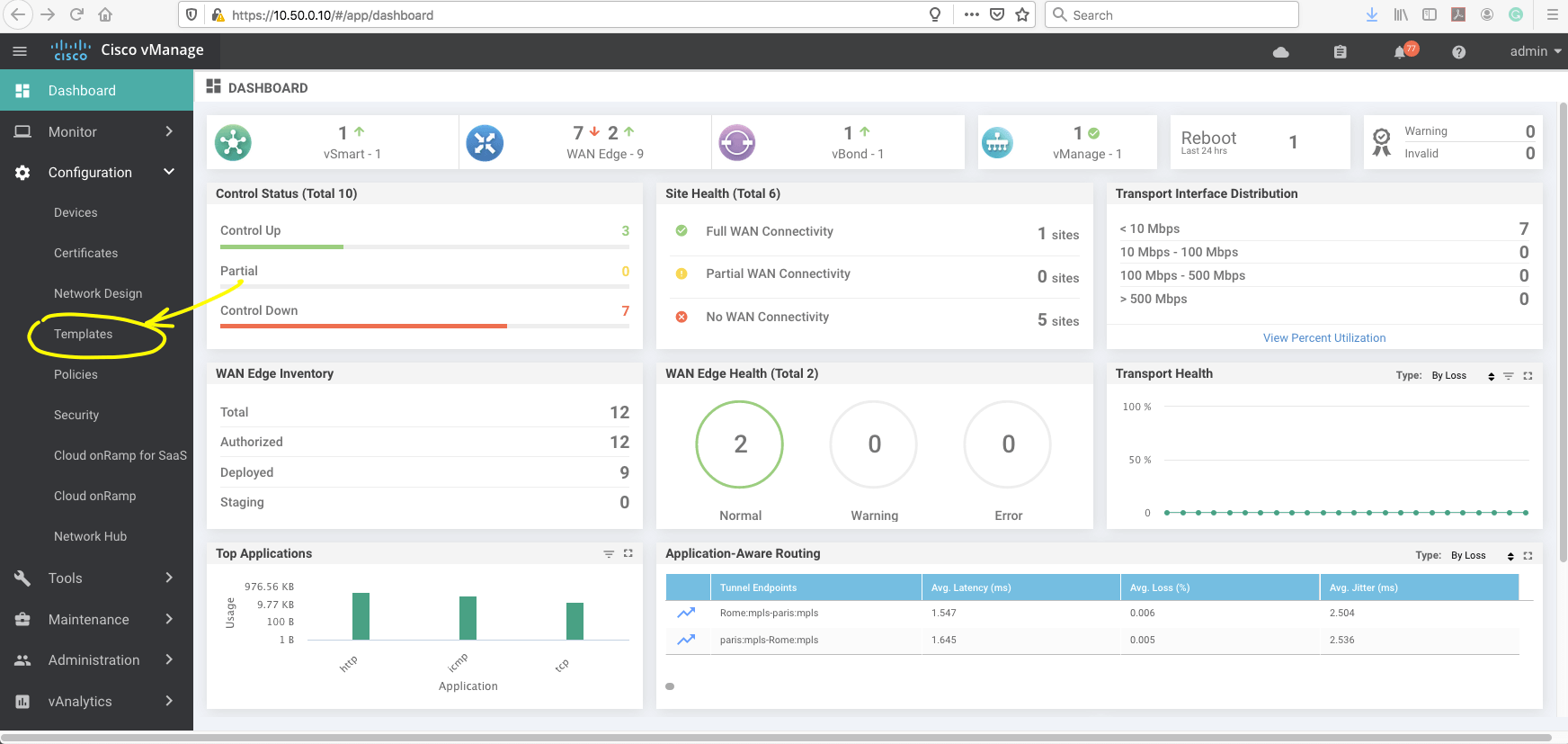
In vManage, open the Templates menu and select the device template used by the Paris vEdge router.
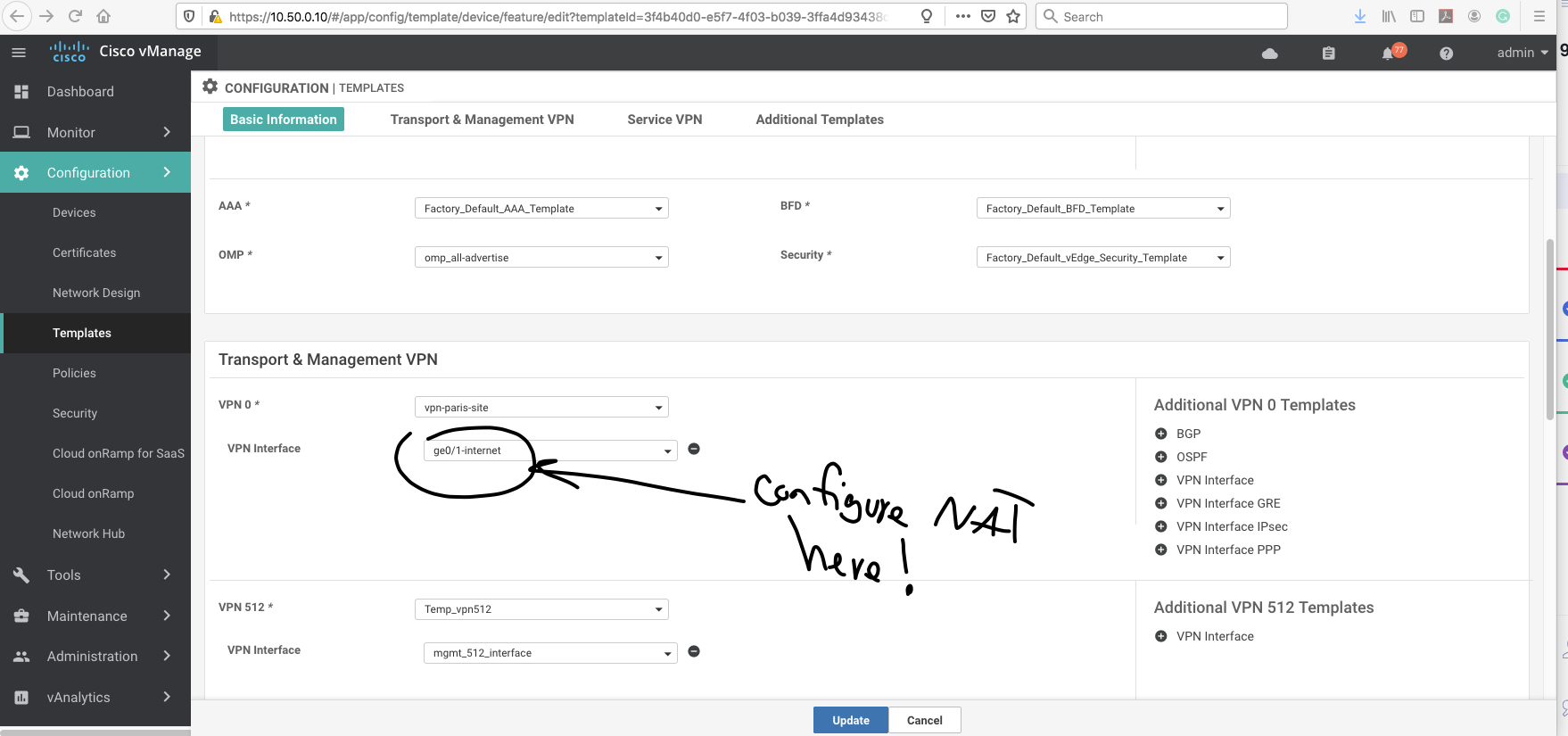
Select the interface located under VPN 0, which is the transport VPN.
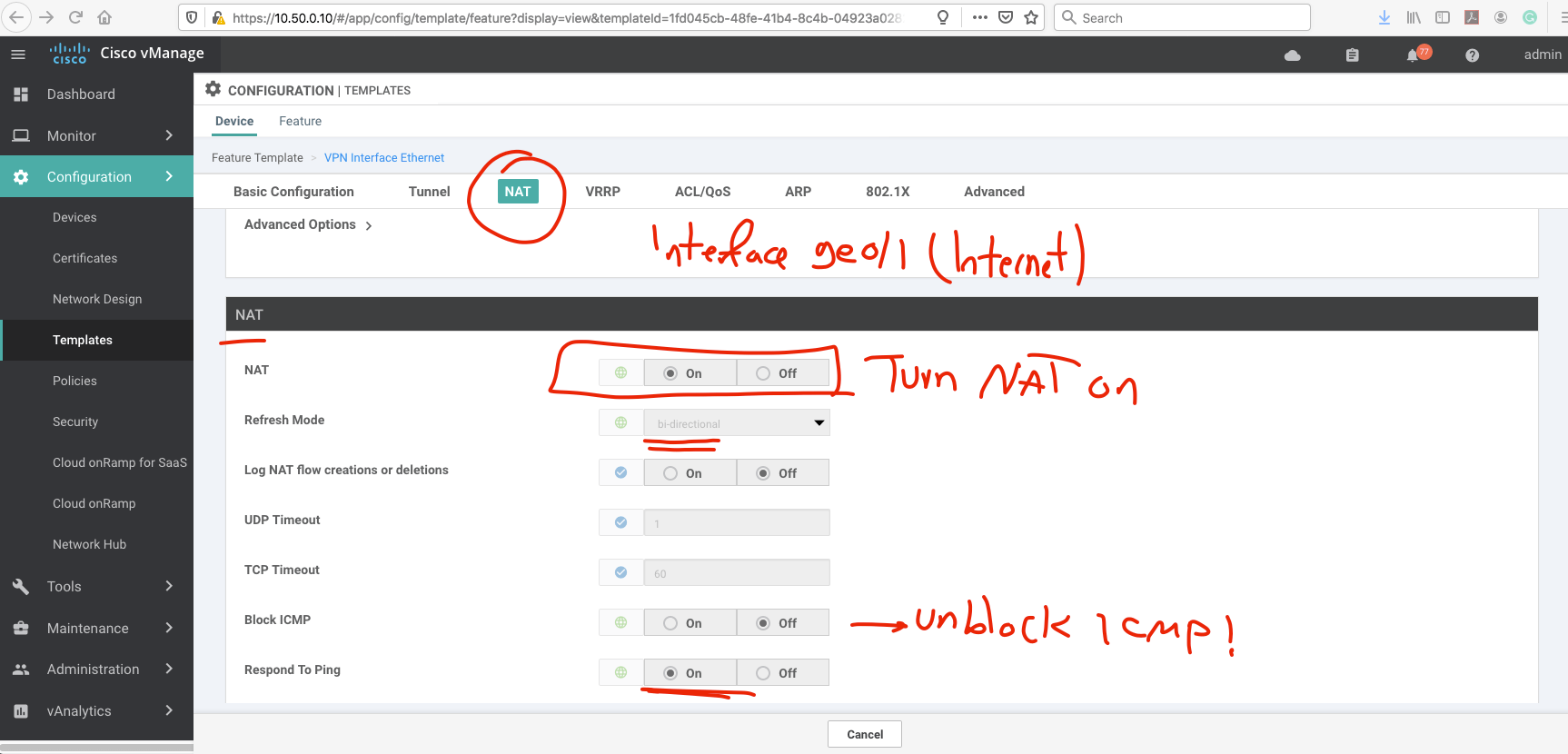
Enable NAT on the interface.
Step 2 – Configure the NAT Pool Range
After NAT is enabled on the transport interface, configure the required NAT Pool Range.
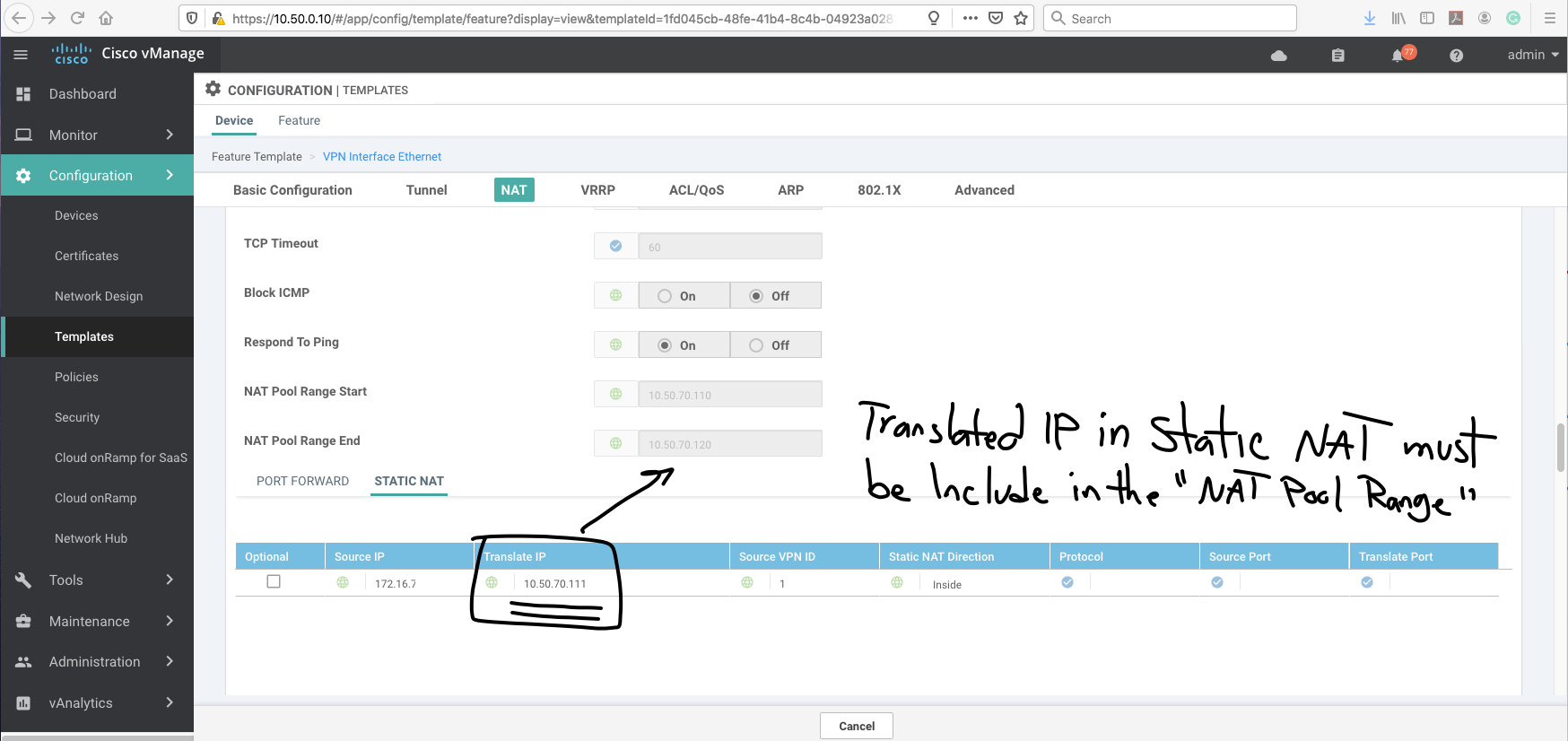
Step 3 – Configure Cisco SD-WAN Static NAT
After configuring the NAT pool, select the Static NAT option and create the one-to-one translation entry.
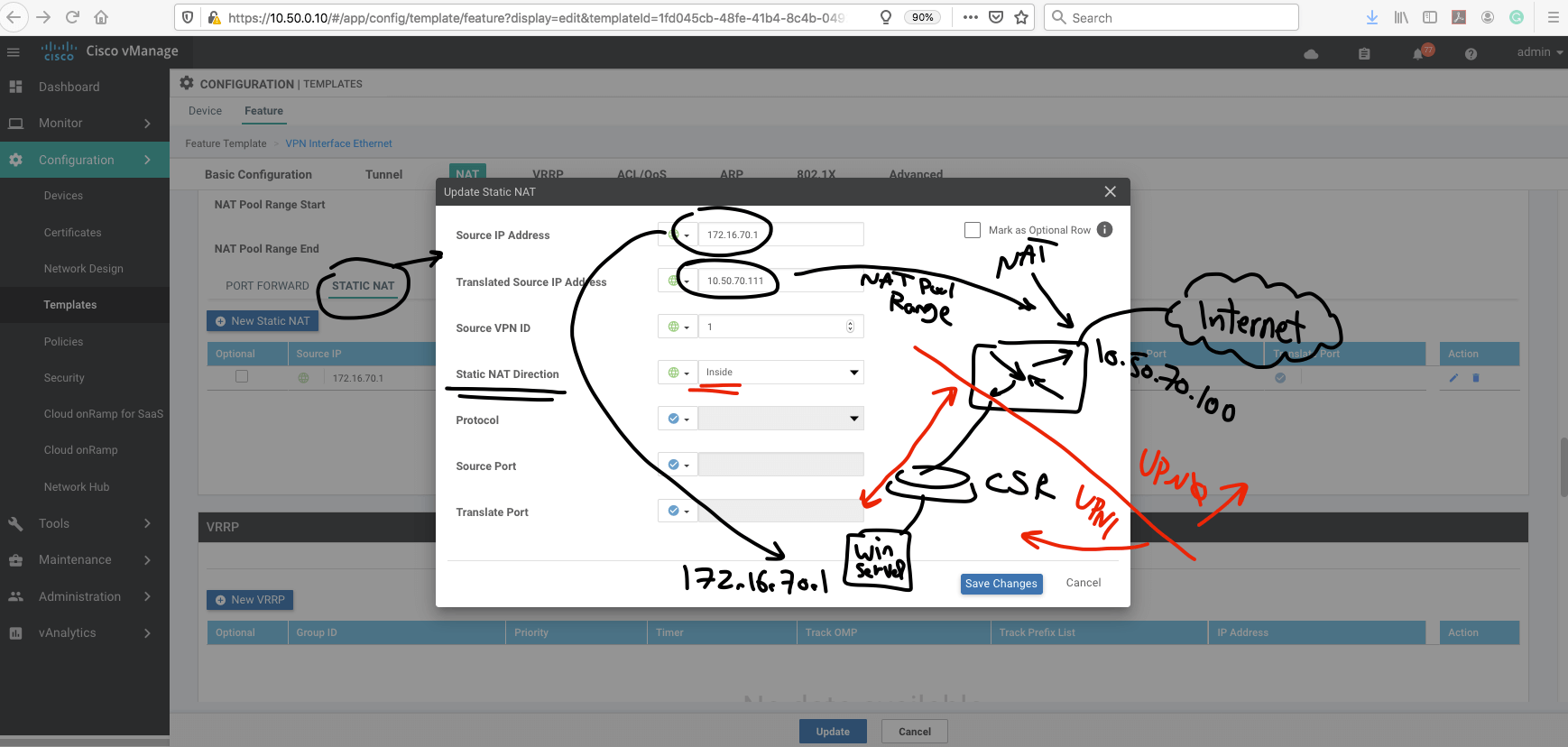
In this lab, the important mapping is:
| Role | IP Address |
|---|---|
| Paris DMZ Web Server | 172.16.70.10 |
| Static NAT / Translated Address | 10.50.70.111 |
This creates the one-to-one NAT relationship between the external translated address and the real DMZ server.
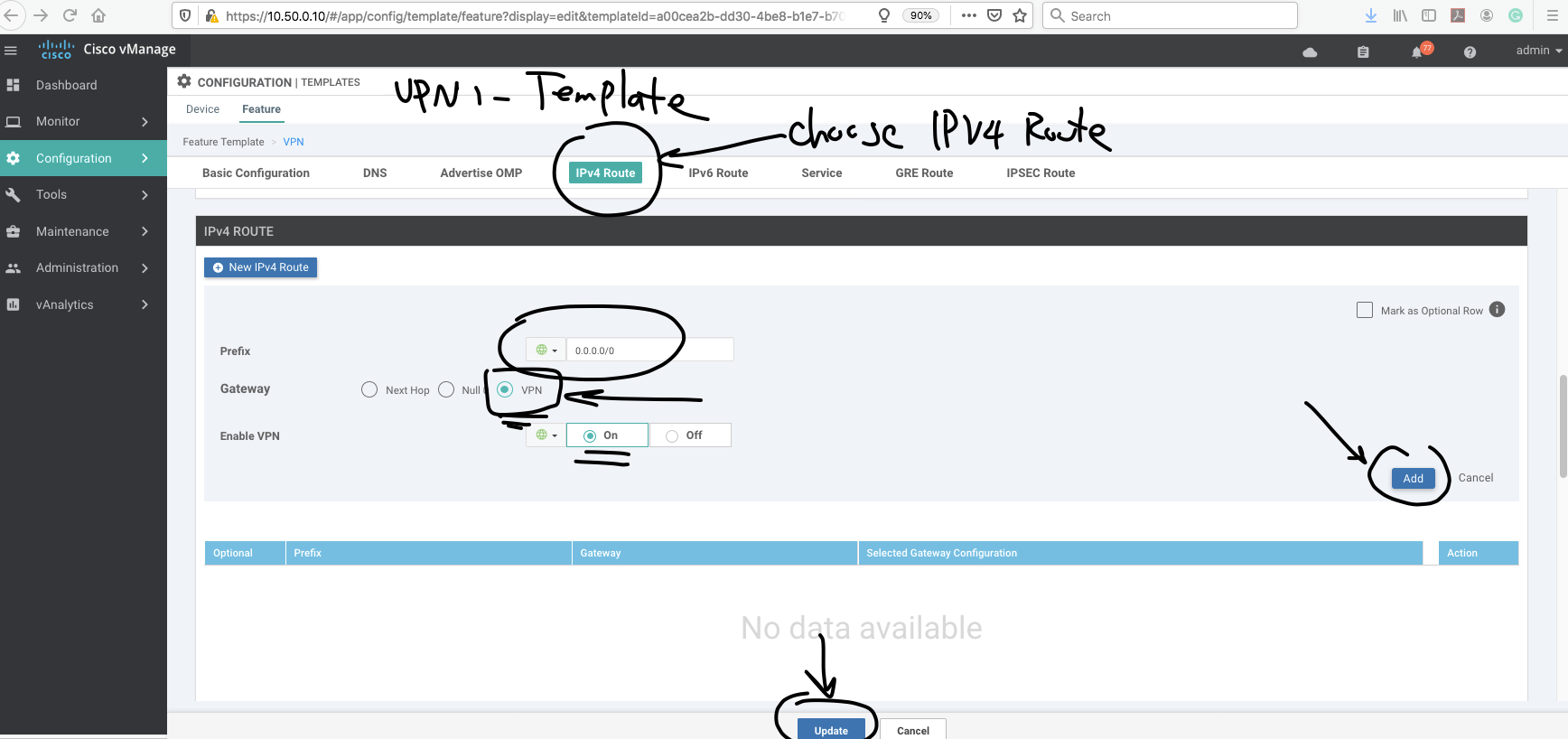
Step 4 – Add the Service-Side Route
The final routing step is to make sure the service-side VPN can forward the required traffic toward VPN 0.
Open the VPN 1 template. In this lab, VPN 1 is the service VPN containing the DMZ network.
Add the required default route toward VPN 0.
Important: Make sure the route and NAT configuration apply to the intended traffic only.
Configuration Summary
The Static NAT workflow can be summarized as follows:
- Enable NAT on the Paris vEdge transport interface in VPN 0.
- Configure the appropriate NAT pool parameters.
- Create the Static NAT one-to-one mapping.
- Map public IP 10.50.70.111 to private server IP 172.16.70.10.
- Configure the required routing between the service VPN and transport VPN.
- Push the updated device template from vManage.
- Verify the NAT translation and end-to-end connectivity.
| Site | NAT Type | Purpose |
|---|---|---|
| Rome | PAT | Allow internal clients to reach external networks |
| Paris | Static NAT | Publish the DMZ web server using a one-to-one translation |
Verification
Now we test connectivity from the Rome client to the Paris web server.
The Paris public/translated IP address is:
10.50.70.111
The actual private IP address of the Paris web server is:
172.16.70.10
The Rome client initiates an HTTP connection toward 10.50.70.111.
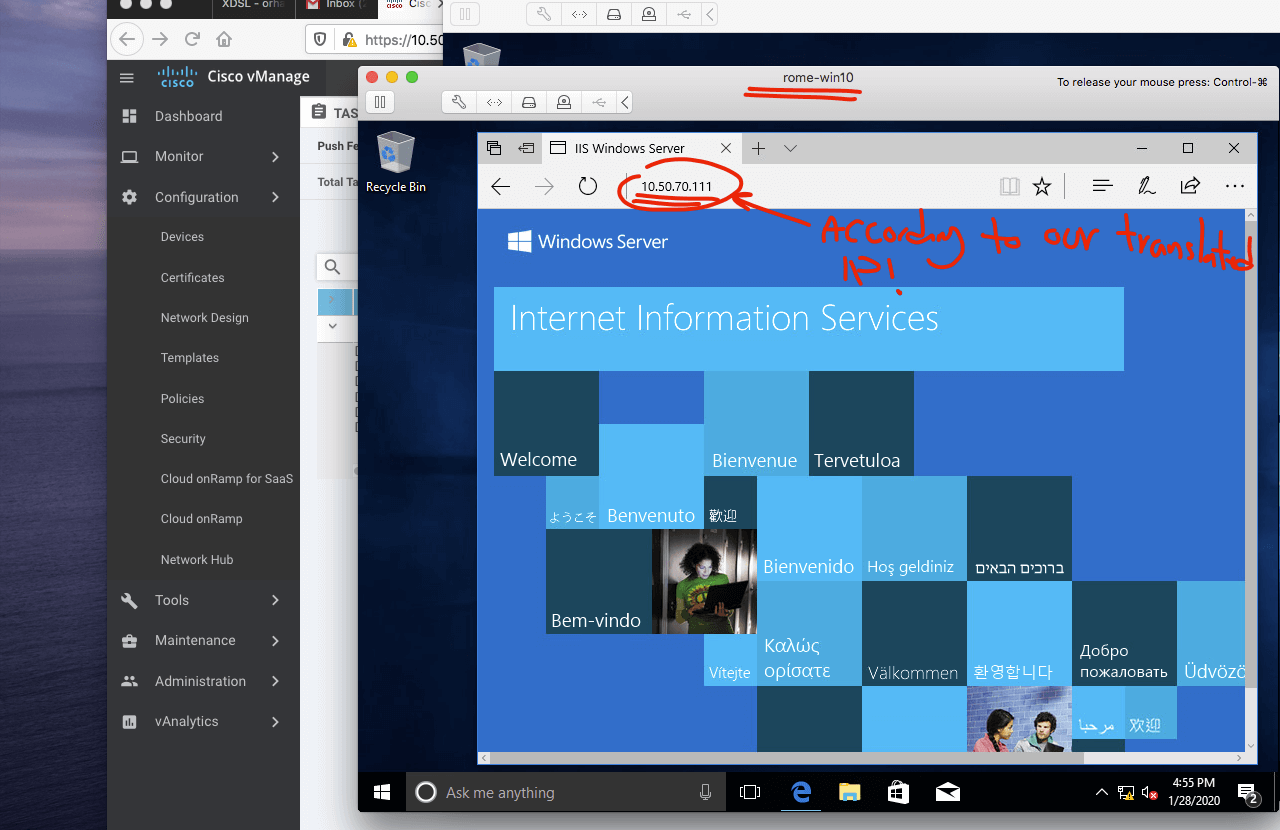
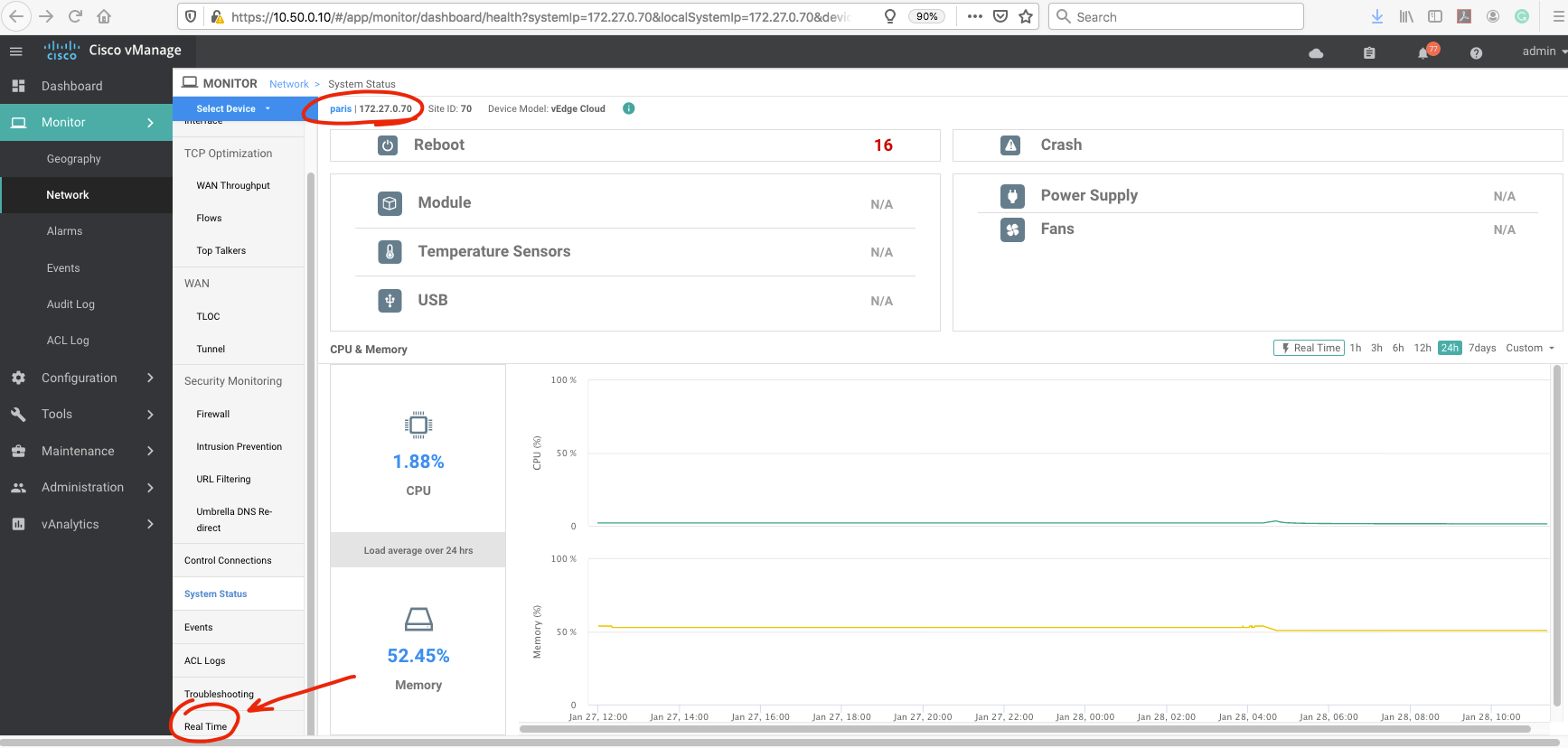
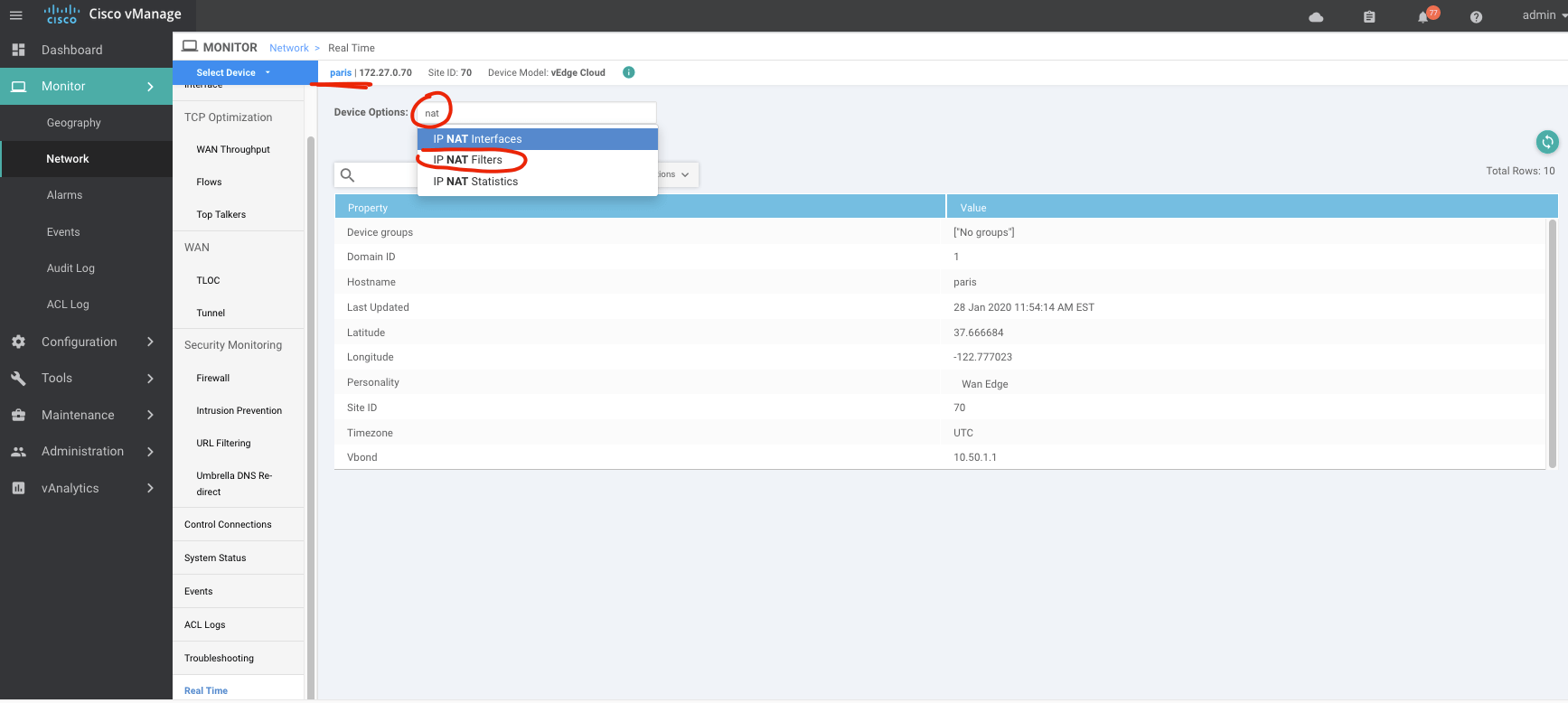
We can also verify the translation and connection information from Cisco vManage.
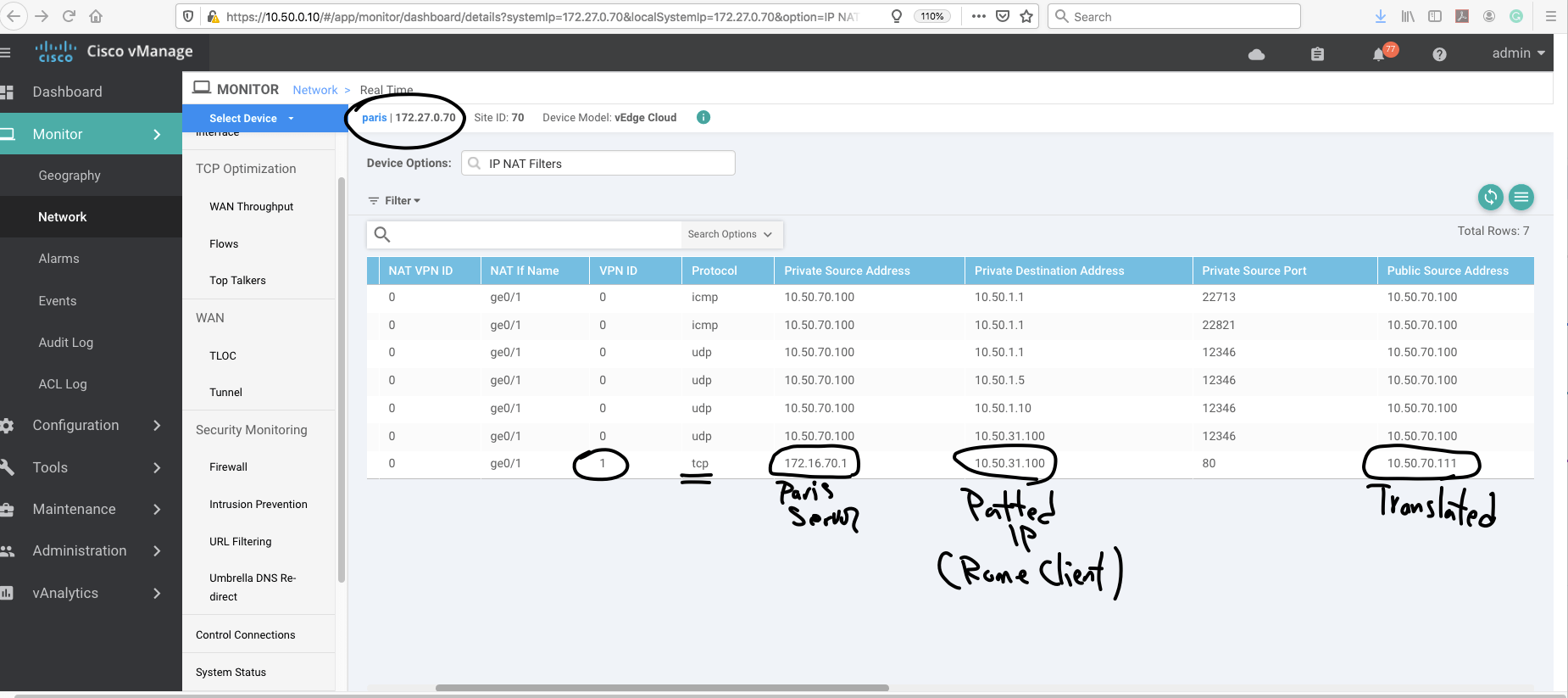
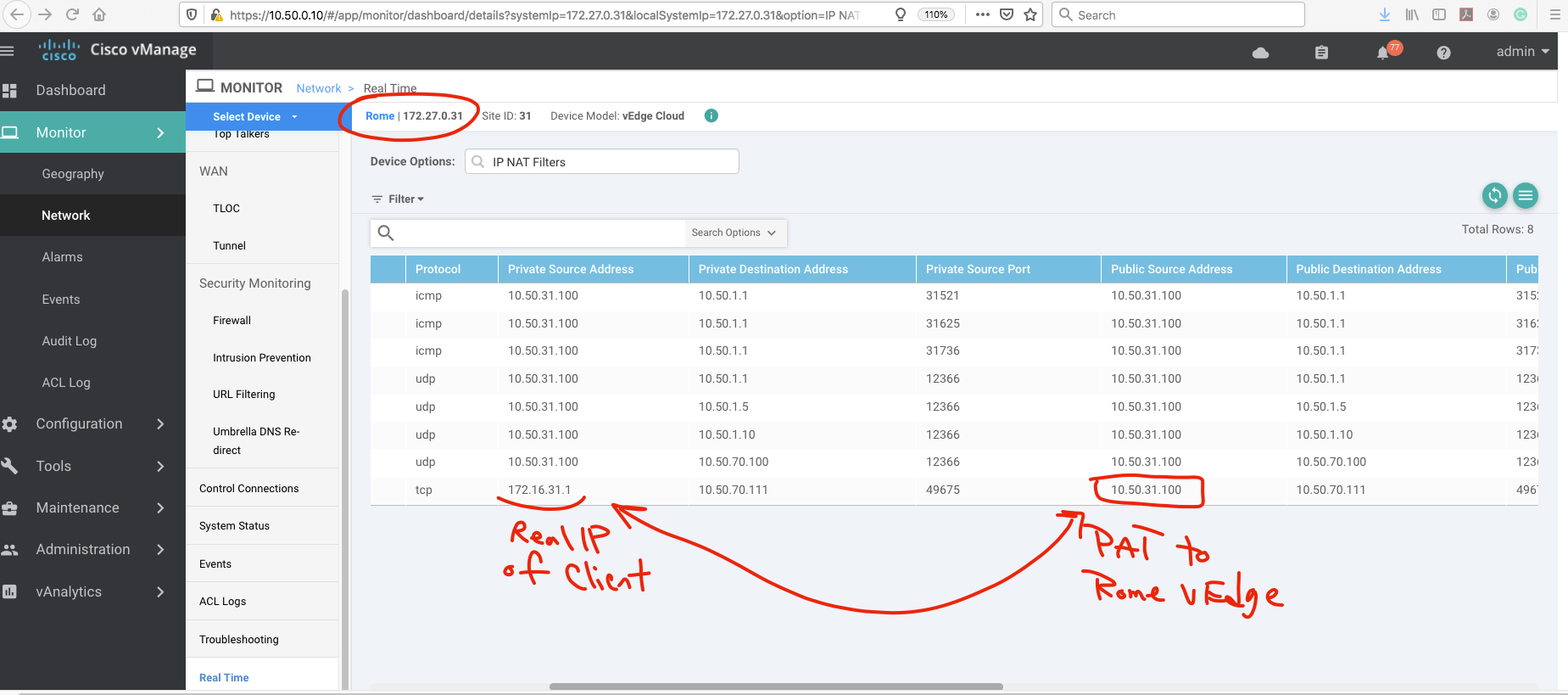
The Rome client is translated using the Rome vEdge public address and then connects to the translated address of the Paris web server.
The Paris vEdge performs the Static NAT translation from 10.50.70.111 to 172.16.70.10, allowing the DMZ web server to be reached successfully.
Useful Verification Commands
In addition to vManage monitoring, CLI verification can help confirm that NAT and routing are operating as expected.
show ip nat translations
show ip nat statistics
show running-config vpn 0
show running-config vpn 1
show ip route
show interface
Depending on the Cisco SD-WAN software release and platform, the exact command output or syntax may differ. Use the corresponding operational commands available on your edge platform.
When troubleshooting, verify:
- The Static NAT entry exists.
- The translated address matches the intended public address.
- The inside-local address matches the DMZ server.
- VPN 0 NAT is enabled.
- The required service-side route exists.
- Return traffic has a valid path.
Common Cisco SD-WAN Static NAT Errors
NAT Is Not Enabled on the Transport Interface
A Static NAT configuration alone is not enough if NAT is not enabled on the corresponding VPN 0 transport interface.
Incorrect Inside or Translated Address
Verify that the private server address and the public translated address have not been reversed or configured incorrectly.
Missing Service VPN Route
If VPN 1 does not have the required route toward the transport side, traffic may reach the vEdge but fail to reach the internal server.
Return Path Is Missing
Static NAT requires valid routing in both directions. Verify that the DMZ server can return traffic through the correct vEdge path.
Template Changes Were Not Pushed
After modifying the vManage template, confirm that the template has been successfully attached and pushed to the Paris edge router.
Testing the Wrong IP Address
External clients must connect to the translated address, which in this lab is 10.50.70.111, rather than directly using the private server address 172.16.70.10.
Conclusion
Cisco SD-WAN Static NAT allows an edge router to create a permanent one-to-one mapping between an internal server and an externally reachable address.
In this lab, the Paris vEdge maps 10.50.70.111 to the DMZ web server at 172.16.70.10, while the Rome site uses PAT for client connectivity.
The important parts of the configuration are enabling NAT on VPN 0, creating the Static NAT mapping, configuring the required service-side routing, and verifying both the translation and return path.
Download the Cisco SD-WAN Static NAT PDF
You can also download the PDF version of this Cisco SD-WAN Static NAT and one-to-one NAT configuration guide for offline reference.