
CISCO Stealthwatch Free Training - FLOW - Soul of Stealthwatch - Lesson 3
In Cisco Stealthwatch, visibility and analysis are built around network flows. For that reason, flow can be considered the soul of the Stealthwatch system.
A flow represents a network conversation. More technically, it is a sequence of packets that share common properties and are exchanged between sending and receiving hosts. For example, when a user downloads a file from an FTP server, the related packets between the server and the client form part of the same flow.
Table of Contents
Flow Analysis vs. Packet Analysis
Cisco Stealthwatch performs flow analysis rather than full packet analysis. Packet-analysis solutions normally capture packets through technologies such as SPAN, RSPAN, or ERSPAN.
Packet analysis is suitable for detailed examination of a specific conversation. Flow analysis focuses primarily on metadata and statistical information about network activity.
Flow analysis can help answer questions such as:
- Which hosts are the top talkers?
- How much bandwidth is being consumed?
- Which protocols are using the network?
- How long did a conversation remain active?
- Which source and destination systems communicated?
What Is NetFlow?
NetFlow is a Cisco technology used for flow-based traffic analysis. It provides metadata about network conversations without requiring the analysis platform to inspect the complete contents of every packet.
Common NetFlow use cases include:
- Bandwidth monitoring
- Forensic analysis
- Billing and accounting
- Traffic-pattern analysis
- Application and protocol visibility
NetFlow Versions
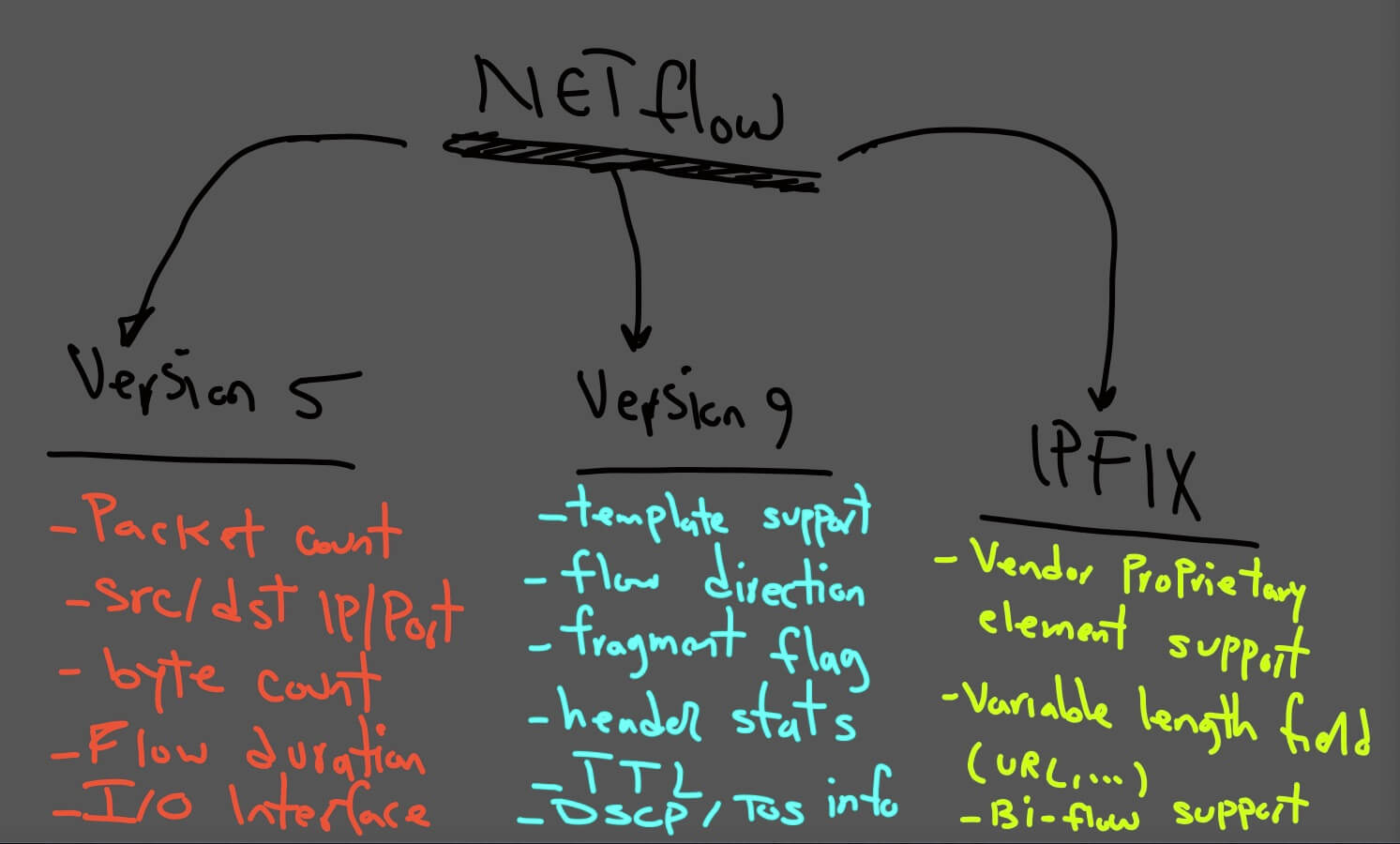
NetFlow Version 5
NetFlow version 5 provides essential information about traffic patterns, but it does not support several fields required by modern networks, including IPv6 traffic, MAC addresses, VLAN information, and extensible templates.
NetFlow version 5 can provide information such as:
- Source and destination IP addresses
- Source and destination ports
- Packet counts
- Byte counts
- Flow duration
NetFlow Version 9
NetFlow version 9 introduced a template-based format. Templates allow exporters to describe the fields included in their flow records.
Supported information can include:
- Template information
- TCP flags and counters
- Flow direction
- Fragmentation flags
- ICMP and IGMP information
- Header statistics
- Time-to-live information
- DSCP and Type of Service information
- Destination-routing information
NetFlow Version 10: IPFIX
IP Flow Information Export, commonly called IPFIX, was standardized by the IETF and is often described as NetFlow version 10.
IPFIX extends the template-based approach and supports variable-length and enterprise-defined fields. Examples can include an HTTP hostname, HTTP URL, or other vendor-specific information.
What Is sFlow?
sFlow is a sampled-flow technology. Its objective is to forward information about selected packets rather than create a record for every complete network conversation.
sFlow uses a sampling rate. On average, one packet out of every configured number of packets is selected and sent to the sFlow collector.
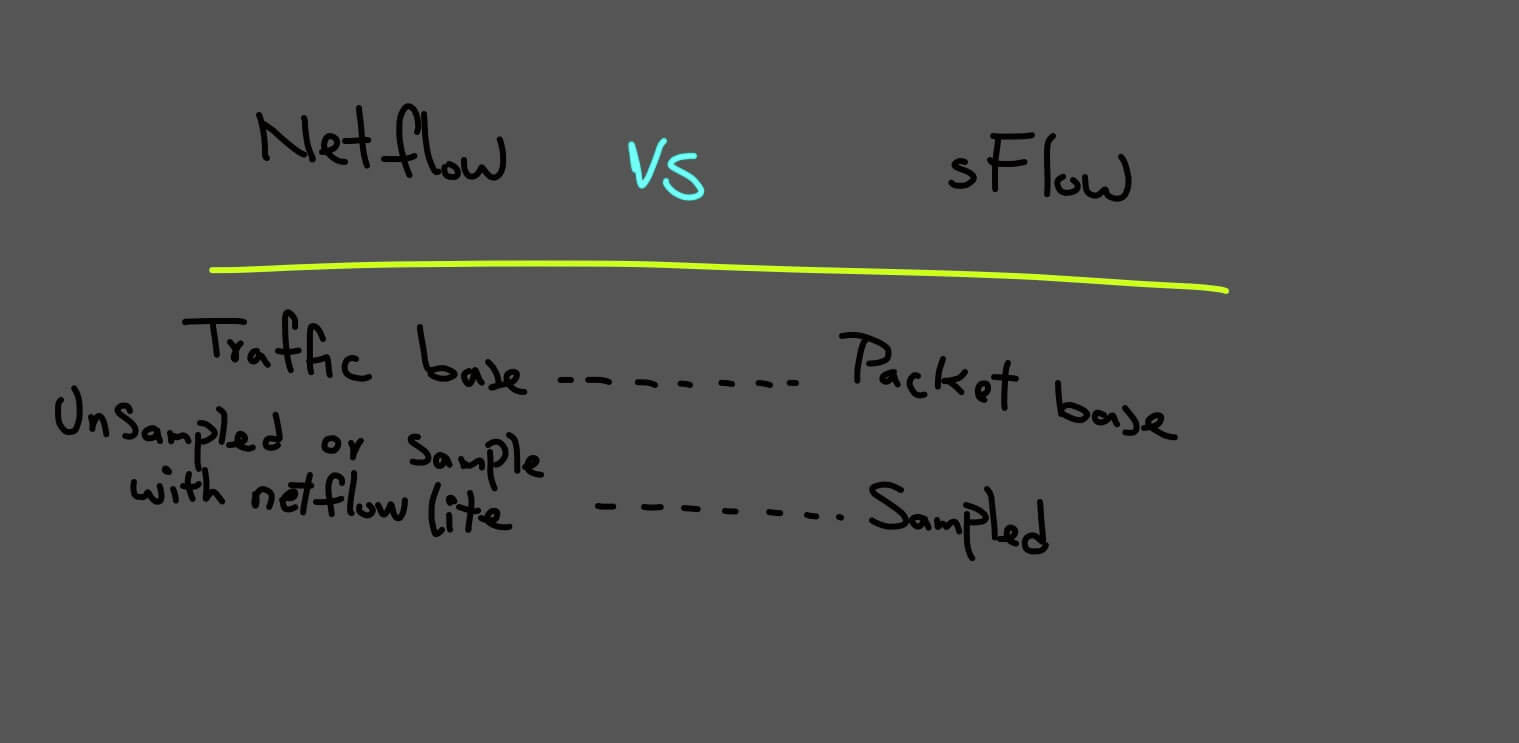
NetFlow vs. sFlow
Packet sampling is generally performed in hardware by the switching ASIC. sFlow datagrams are continuously sent across the network in near real time, while NetFlow record export depends on active and inactive timers.
This behavior can make sFlow useful for identifying large traffic changes, including massive denial-of-service traffic patterns, because sampled information is sent continuously to the collector.
sFlow can monitor information from Layer 2 through Layer 7. Support for Layer 2 information, including MAC addresses and VLAN IDs, is also available through extensible NetFlow version 9 templates.
However, sFlow provides an approximation of the real traffic because the sampled packets do not represent every packet transmitted through the network. Based on this limitation, sFlow is not the preferred option when complete flow information is required for forensic investigation.
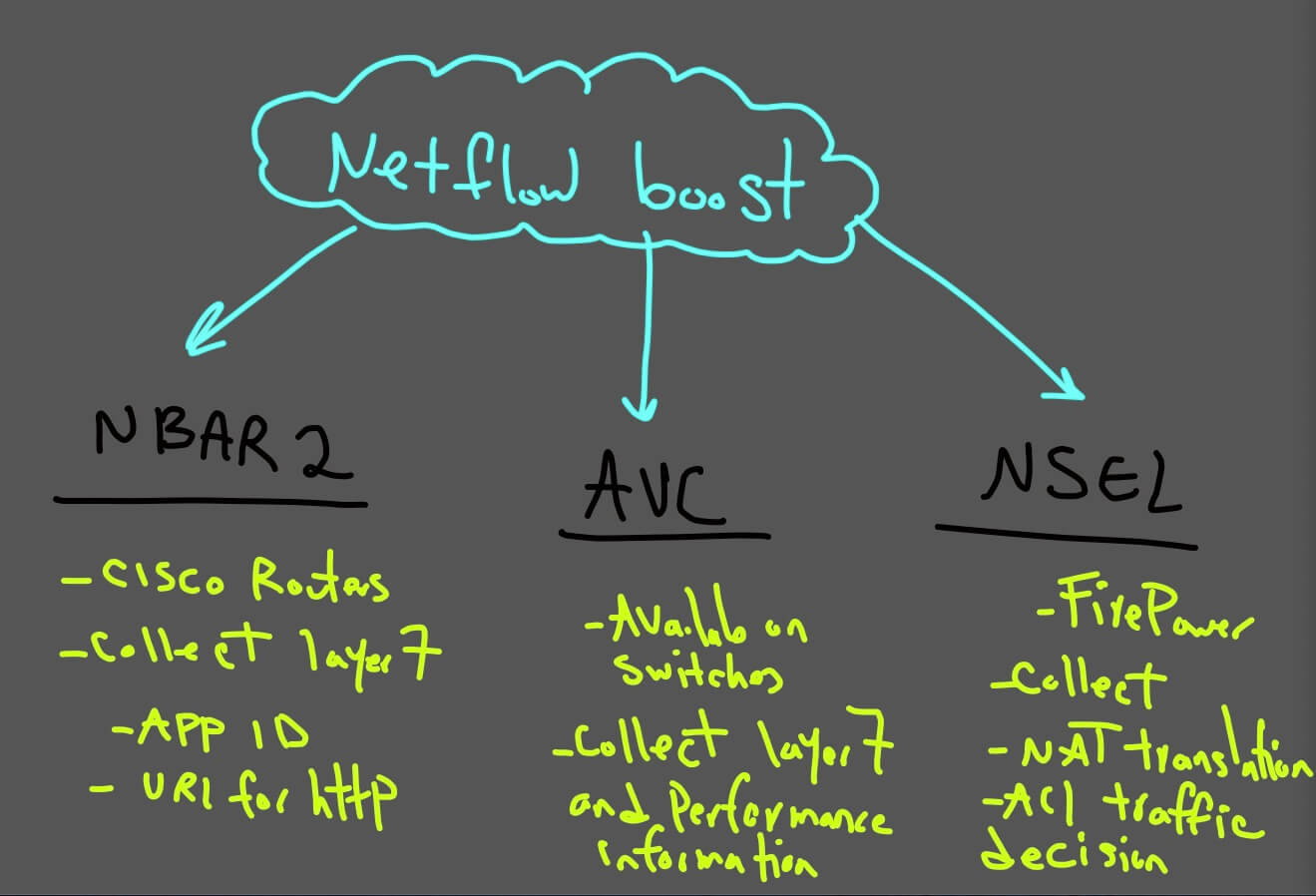
NetFlow Booster
The following diagram illustrates how additional flow information can improve the visibility provided by basic NetFlow records.
NetFlow Architecture Components
A NetFlow architecture contains three main components:
- NetFlow Exporter: The network device that observes traffic and creates flow records.
- NetFlow Collector: The system that receives and stores exported flow records.
- Analysis Application: The platform that processes the collected records and presents traffic information to administrators.
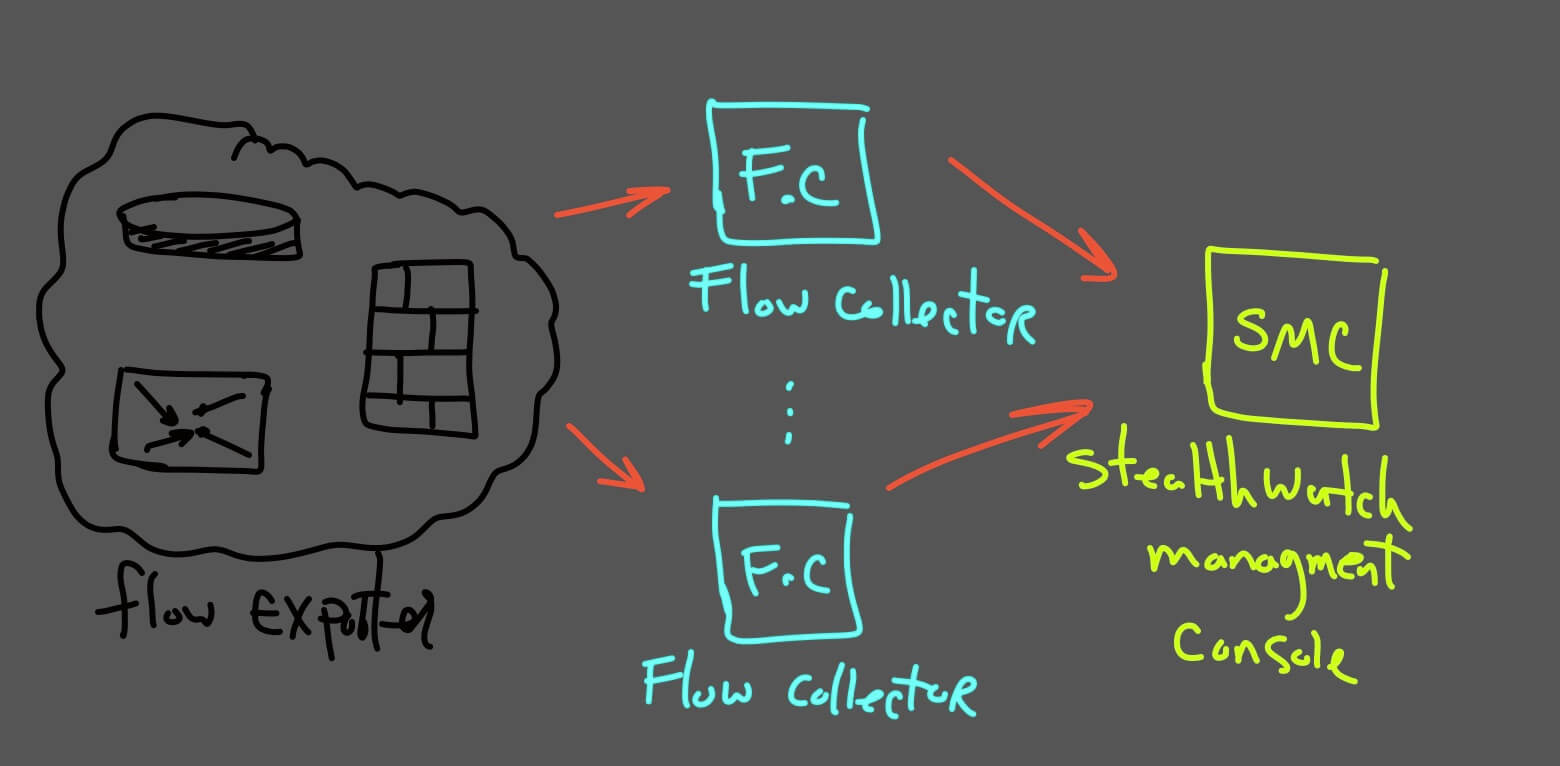
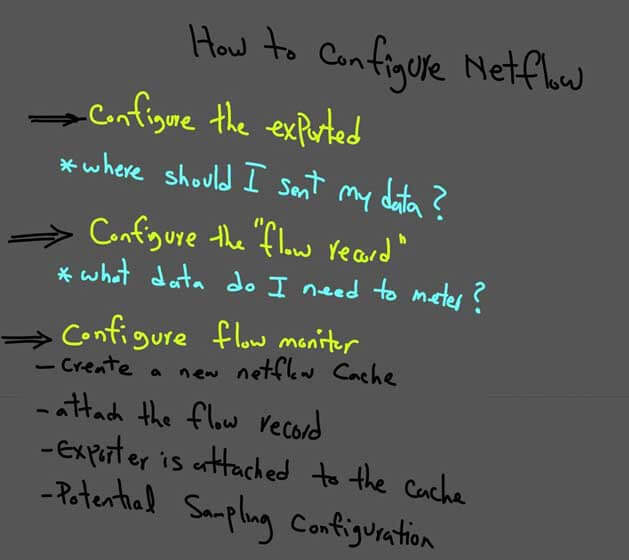
NetFlow Configuration Overview
At a high level, a NetFlow deployment requires the network device to generate flow records and export them to a collector. The analysis application then processes the received records and provides traffic visibility.
- Select the router, switch, firewall, or other device that will operate as the flow exporter.
- Identify the NetFlow or IPFIX collector destination.
- Configure the exporter to send flow records to the collector.
- Select the interfaces or traffic directions that should be monitored.
- Verify that the collector is receiving the exported records.
- Use the analysis application to review conversations, bandwidth consumption, protocols, and top talkers.
The following diagram provides an overview of how the NetFlow configuration should be organized.
The next lessons demonstrate NetFlow and IPFIX configuration on several platforms, including Cisco Firepower, Catalyst 9300, Cisco 2911 routers, CSR routers, and Catalyst 2960-X switches.
The configuration syntax and platform limitations may differ between devices. The lessons also cover Cisco Stealthwatch configuration considerations and recommended practices.
Conclusion
Flow analysis provides visibility into network conversations by examining metadata such as source and destination addresses, ports, byte counts, packet counts, protocols, and conversation duration.
NetFlow provides detailed flow records that can support monitoring, accounting, traffic analysis, and forensic investigation. sFlow uses packet sampling and can provide scalable, near-real-time visibility, but it does not represent every packet or conversation.
Understanding the differences between packet analysis, NetFlow, IPFIX, and sFlow is essential when designing a Cisco Stealthwatch deployment or selecting the correct source of network telemetry.